AutoHotKey Macro Recorder
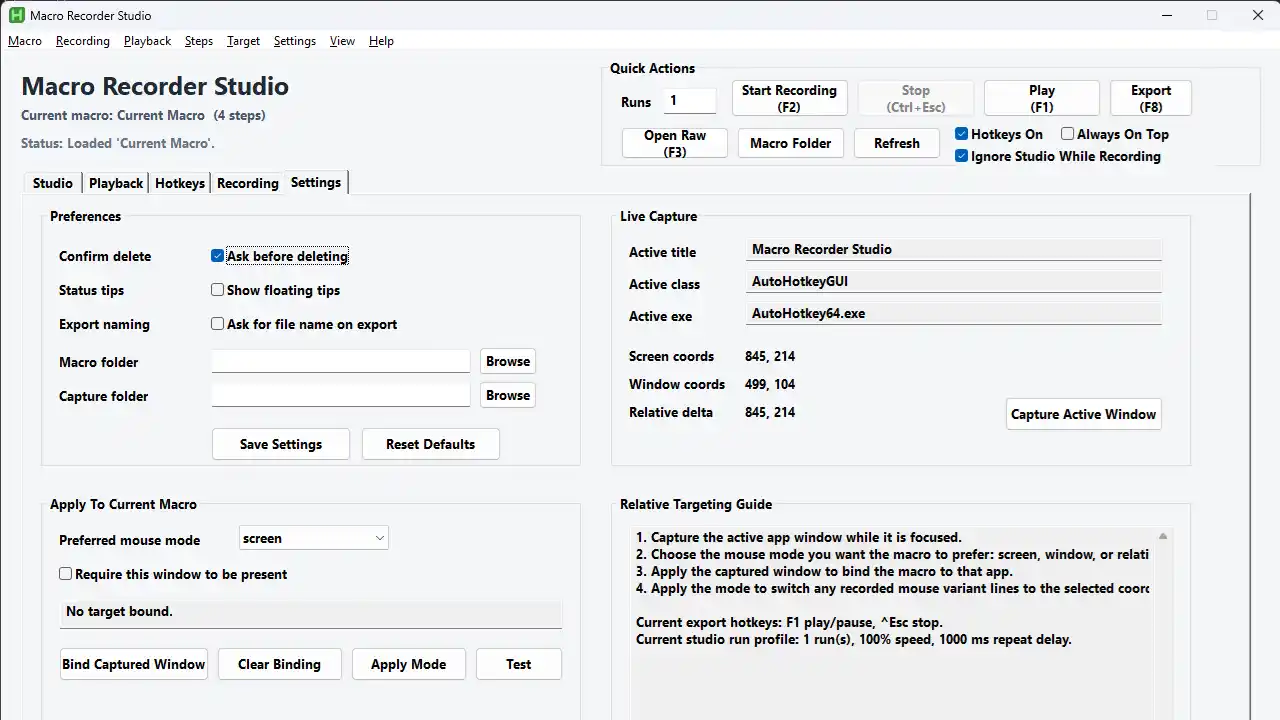
AutoHotKey Macro Recorder is a personal Windows automation tool I built for recording, editing, replaying, and exporting AHK-based macros. It turns repetitive keyboard and mouse workflows into editable macro steps, with a studio-style interface for organizing macros, adjusting playback behavior, assigning hotkeys, and exporting runnable scripts. It requires AutoHotkey v2 to run. Download the tool here: Macro Recorder
Key Details
- Records keyboard and mouse actions into editable macro steps
- Supports play, pause, stop, and configurable run counts
- Uses
0as an infinite loop run count - Includes a macro library for creating, duplicating, renaming, saving, and deleting macros
- Provides a step editor for adding or changing actions like text entry, mouse clicks, sleeps, comments, labels, variables, loops, and conditional logic
- Includes hotkey support for recording, playback, stopping, exporting, opening raw macro output, and showing the app
- Allows recording options such as keyboard-only, mouse-only, clicks, movement, wheel events, and real-time delays
- Supports playback settings like speed, countdown, loop delay, input blocking, and target-window behavior
- Can export macros into standalone AutoHotkey scripts for reuse
- Includes raw macro preview and quick access to the macro folder
- Designed as a practical personal productivity tool for automating repetitive Windows tasks
Tool Images